
Intro
In 2024 I faced a situation when I was staying in an African country with unstable government. During a political uprising the authorities in that country decided that the best way to suppress protests was to turn off the internet. Thus, most of that country's ISPs caved in to that demand which led to people being stranded without any connection to the outside world for over 24 hrs.
I didn't want to be caught in that situation ever again, and thus I started looking for alternative means to access the web. Quite quickly someone suggested trying StarLink. I knew that I could trust a Western company and thus I was very elated to sign up for their service.
Before I signed up though I did my research in hopes of finding answers to some of my questions. The main one was whether or not StarLink would work in an apartment since that was where I was staying at the time. I also had other questions concerning the equipment, connection speeds, latency, etc.
Unfortunately, I was not able to find many of the answers. The information that was available was mostly coming from the marketing materials and wasn't very helpful. Thus, in this blog post I will share my personal experience with the StarLink service and will try to answer some of my own questions.
If you came here to learn whether or not StarLink would work in an apartment and don't want to read through a long blog post - the answer is no. It will not work.To get the full answer, please read on.
Questions
These are these the questions that I had before I ordered StarLink:
- How do you order StarLink?
- Can you buy StarLink outside of the US?
- Is StarLink locked to my country of purchase?
- What do you get when you order StarLink service?
- What is the weight and dimensions of the StarLink parts and of the shipping boxes?
- Can I install StarLink antenna in a balcony?
- Can I install the StarLink antenna on the roof of my building?
- Does StarLink service interfere with other satellite services?
- How many obstructions can StarLink antenna tolerate?
- How long can StarLink cable be?
- Can I splice the StarLink cable?
- What is the power consumption of the StarLink equipment?
- What are StarLink connection speeds and latency?
- Can I use StarLink for watching YouTube, Netflix and other video streaming services?
- Can I use StarLink for video conferencing, like Zoom, Teams, Google Meet, etc?
- Can I use StarLink for gaming?
- Does StarLink work equally in every country?
- Who do you think StarLink is best for?
- Who shouldn't order StarLink?
- Will StarLink work in an apartment?
- Conclusion
How do you order StarLink?
You can order it on the internet off the StarLink website: starlink.com.
Even though you can order StarLink from resellers, or third-parties, I would not recommend doing it. Main reason - if something goes wrong you'd end up talking to a reseller. In my view, it was much easier to deal with the StarLink support directly versus dealing with some reseller.The StarLink app has a nice support chat that was very helpful to resolve some of the technical issues that I had.
Ordering it was actually quite easy. After I created an account and provided my shipping address, the only thing that was left to do was to pay and then wait for the delivery.
The only way to order StarLink is to do it from the same country that you are intending to use it in. Read here why. Don't try to bypass this important caveat!Note that StarLink is not available in all countries. Check their website to see if it's available in your country of interest.
Since I was ordering StarLink to Africa, it took longer to deliver it. In my case they delivered it to my door via DHL within about 3 weeks. All their equipment was shipped from California, USA.
Can you buy StarLink outside of the US?
Yes, you can. But not in all countries. I'm not sure how they determine the availability per country. You can view supported countries on the StarLink website.
Do not buy StarLink from a country that you are not planning to use it in! It is country-locked.
Is StarLink locked to my country of purchase?
From what I understand, your StarLink is locked to the country where you purchased it in.
Note that StarLink provides a roaming plan that is much more expensive. I've never used it, but it sounds like it may allow you to travel between some countries. To confirm that make sure to ask StarLink sales support before you pay for it, as that whole "roaming" thing is very confusing from what I'm gathering on their website.
What do you get when you order StarLink service?
It depends on the plan, extra equipment selection, the generation of your antenna, etc. At the time of my purchase I received the following:
Originally I didn't order a longer 150-ft cable for the antenna. But I realized later that I needed it to install the antenna on the roof of the apartment building where I was staying. So you may consider ordering it along with your equipment to avoid extra shipping costs.Additionally, I included the ethernet adapter. It wasn't available in a standard equipment though, and thus I had to pay extra for it. Which was super lame, if you ask me.
- The equipment arrived in three boxes:
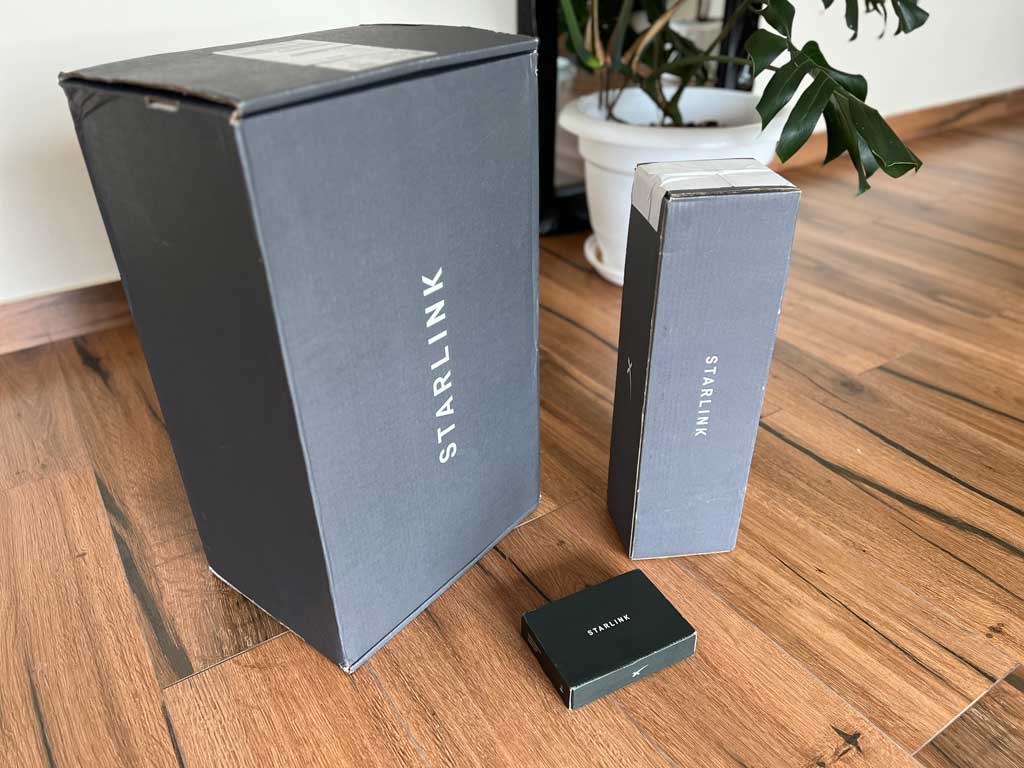 StarLink equipment boxes.
Each box had the following dimensions:
- Large box: 61 cm long, 37 cm wide, 27 cm tall. It weighed 8.2 kg.
- Medium box: 48 cm long, 14 cm wide, 12 cm tall. It weighed 1.5 kg.
- Small box: 17 cm long, 12 cm wide, 3.5 cm tall. (I forgot to weigh it.)
See below for the contents of each box.
- The large box had the following contents:
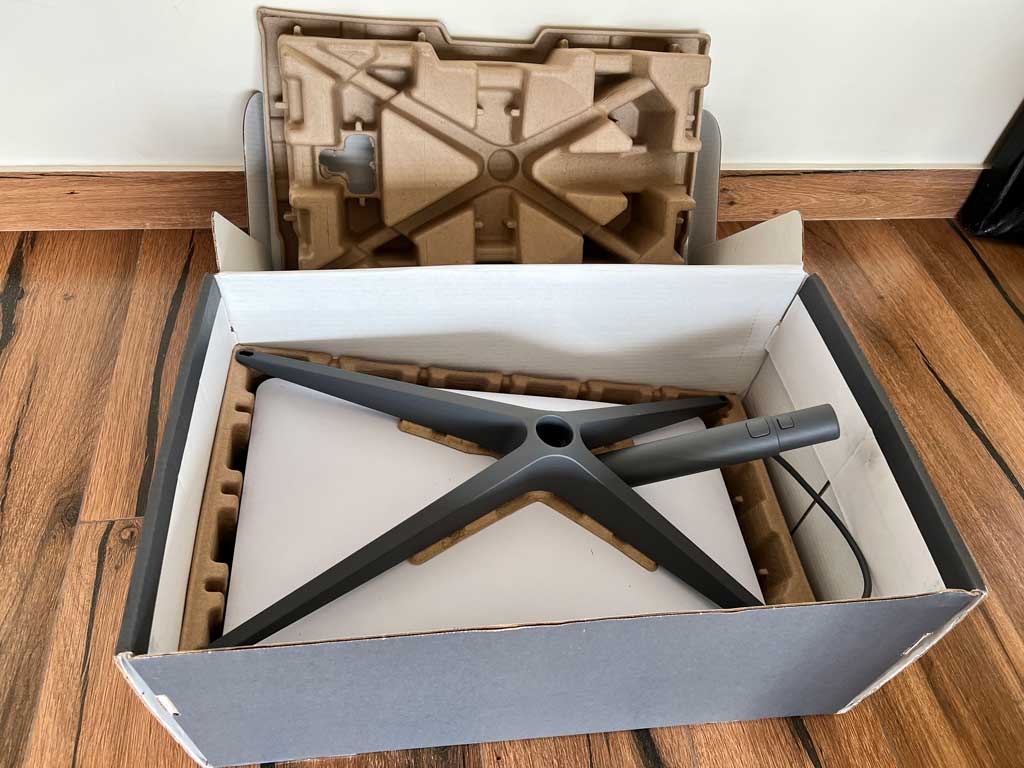 Contents of the large box.
- StarLink antenna.
- Antenna stand.
- Piece of paper with the connection/mounting instructions.
- Connecting cable of the standard length - 50-feet.
- WiFi router.
All of the contents of the box were nicely packed in the carboard forms for safe shipping.
- The medium-size box was an add-on, that I had to pay extra for. It had the following contents:
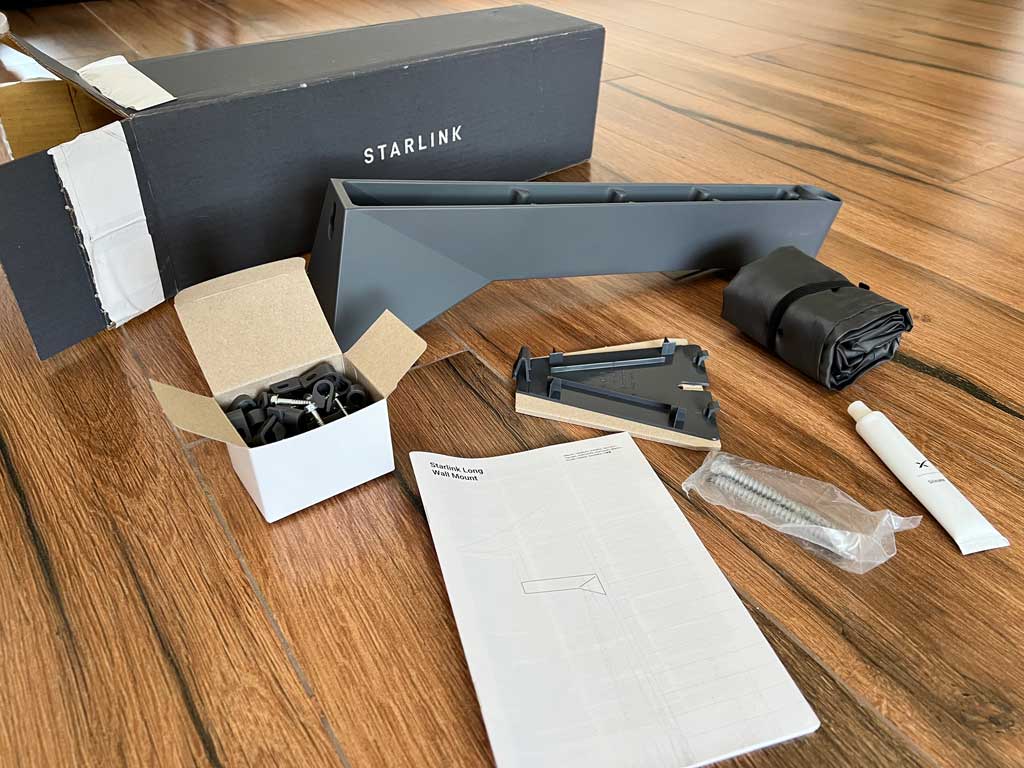 Contents of the medium box.
- A metal wall-mount arm to attach the StarLink antenna to a wall surface. It had the following dimensions: 43 cm long, 12 wide (at base), 6 cm wide (on top), 11 cm tall (at the mount base), with an inner diameter hole for the antenna arm being 3.5 cm.
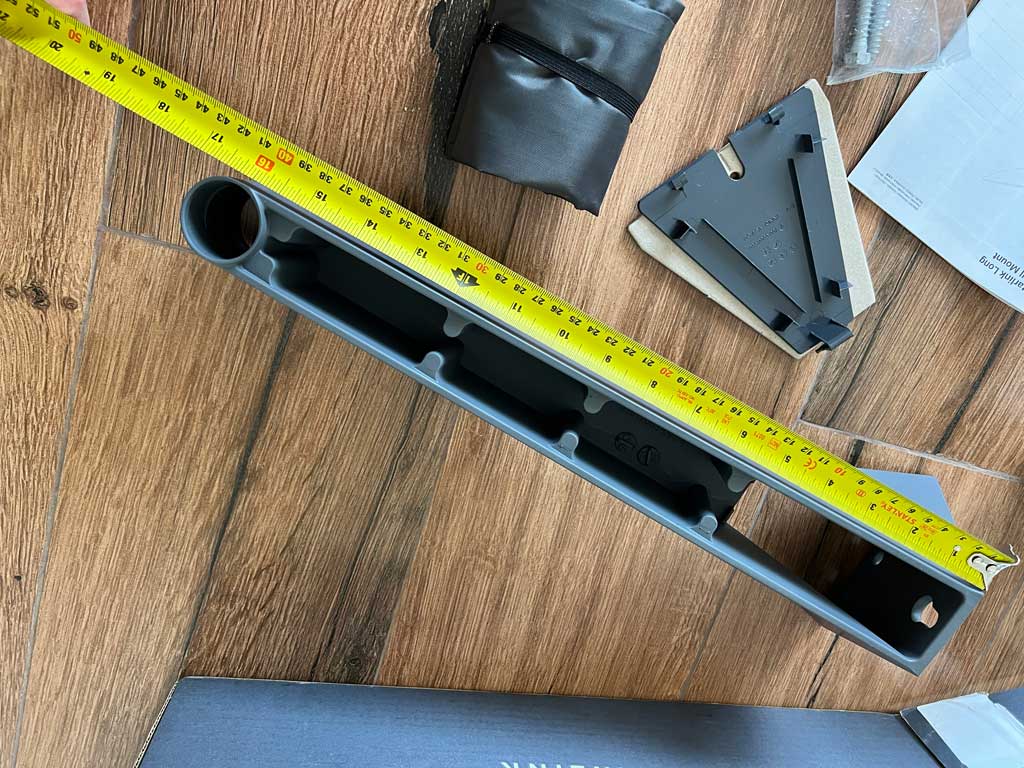 The underside of the wall-mount arm for the StarLink antenna.
 - A carrying pouch for the StarLink antenna (for carrying it up a ladder.)
- Antenna cable fasteners.
- Plastic side cover for the wall-mount.
- Tube of epoxy/glue.
- Long wooden screws for the wall-mount. (Note that there was no masonry wall mounting screws included.)
- Mounting instructions.
- A metal wall-mount arm to attach the StarLink antenna to a wall surface. It had the following dimensions: 43 cm long, 12 wide (at base), 6 cm wide (on top), 11 cm tall (at the mount base), with an inner diameter hole for the antenna arm being 3.5 cm.
- The small box was also an add-on that I paid extra for. It had the following contents:
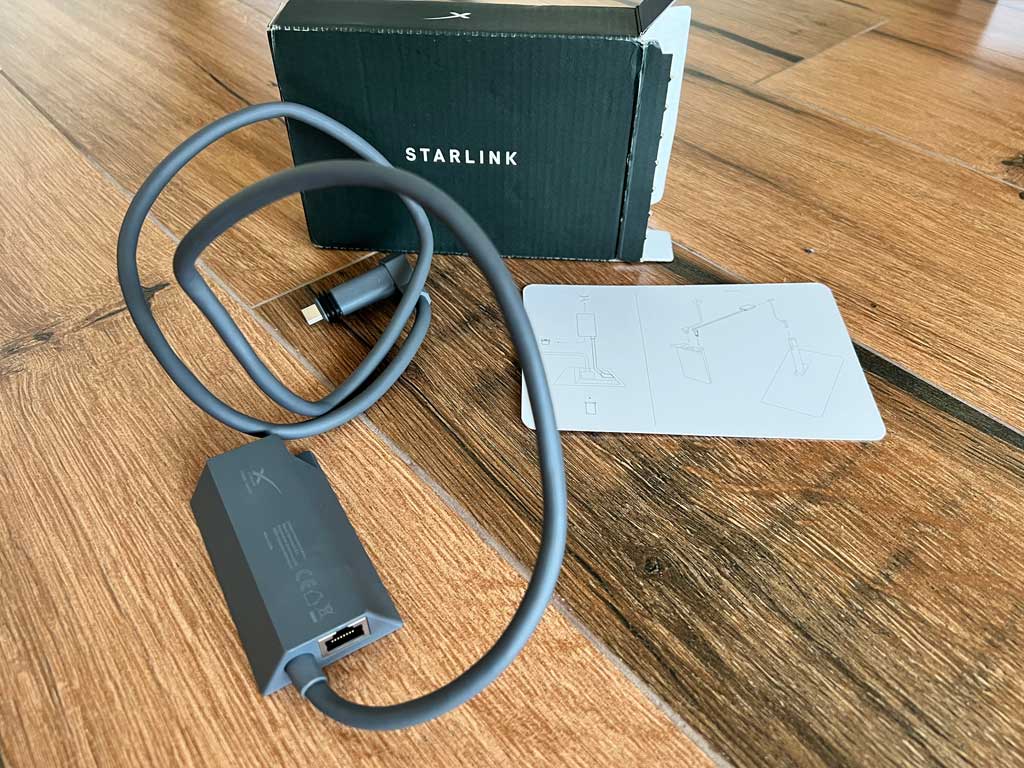 Contents of the small box.
- Ethernet adapter for the StarLink cable. This is the only official way to connect the StarLink equipment via an ethernet cable. If you don't order this adapter, your only option of connecting it would be via the wireless WiFi connection.
The reason you would want to choose ethernet over WiFi is primary for the speed and stability of the connection.
- Connection instructions.
Note that one will need to plug in the ethernet adapter serially into the existing StarLink antenna cable.
- Ethernet adapter for the StarLink cable. This is the only official way to connect the StarLink equipment via an ethernet cable. If you don't order this adapter, your only option of connecting it would be via the wireless WiFi connection.
The StarLink sells way more equipment than what I showed above. Since I didn't order it, I cannot show it or describe it here.
What is the weight and dimensions of the StarLink parts and of the shipping boxes?
Please refer to the question above for the dimensions of the shipping boxes and of other included parts.
Additional dimensions of other parts that I happened to measure were these:
- StarLink "Gen 2" antenna was: 51 cm long, 29.5 cm wide, with the mounting arm being 27 cm long. The diameter of the mounting arm (at the point of the joint) was: 3 cm. The antenna itself had a convex shape on the side of the mounting arm, with the center being a few cm thicker than the edges. It is flat on the outside. The antenna is made out of plastic and can be easily scratched, or damaged if hit or dropped.
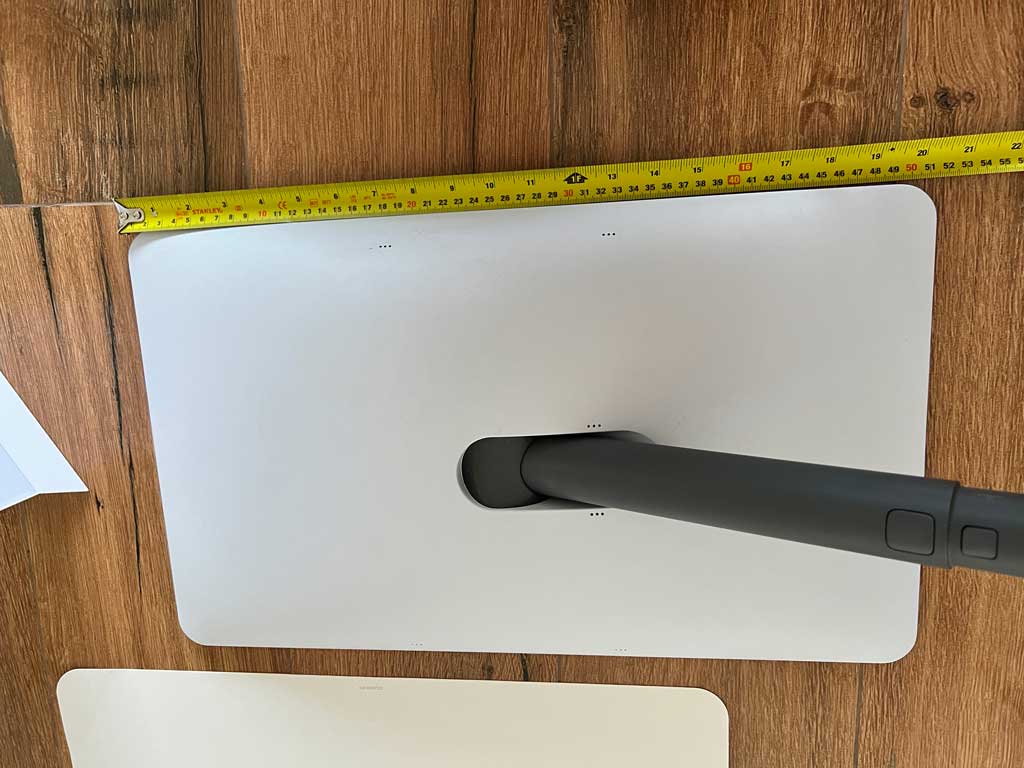 StarLink "Gen 2" antenna.
This was an older "Gen 2" antenna. Note that this was the only StarLink antenna that was available for me.
The arm has the antenna cable that is pre-attached to it. But you can detach it, if you wish to do so.
- The mounting stand is included for free and is designed for keeping the StarLink antenna upright on the ground or in some other portable location.
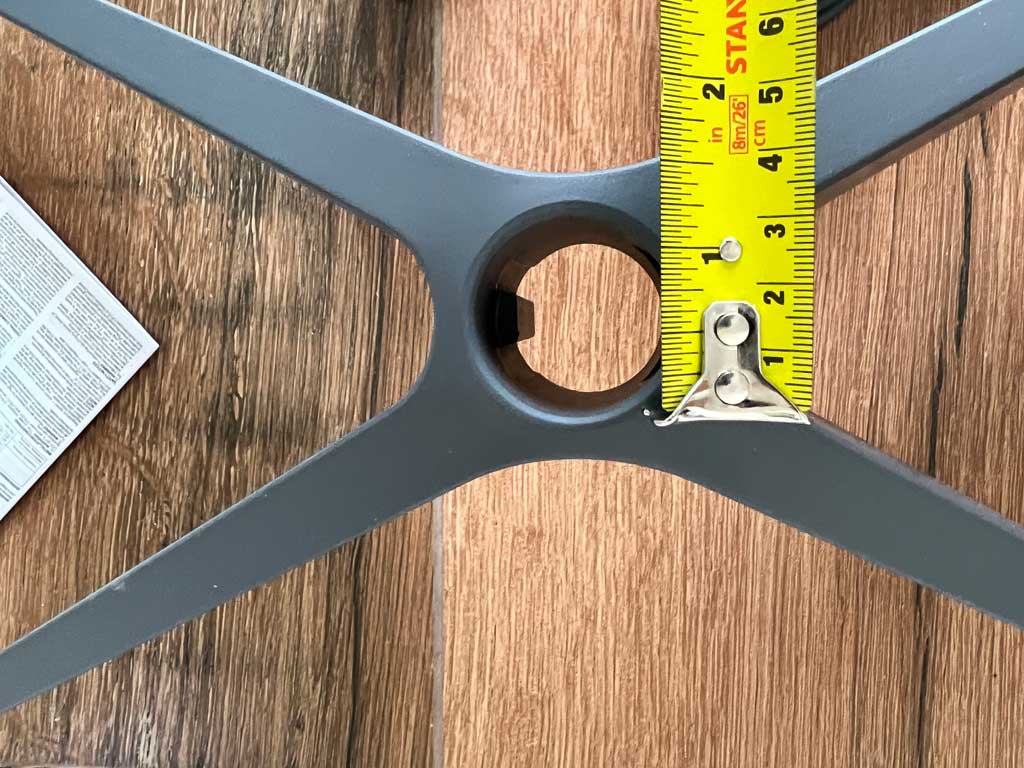 Mounting stand for the StarLink antenna.
I would not advise using this stand for permanent mounting of the StarLink antenna.
The diameter of the hole for the mounting arm for the StarLink antenna is 3 cm. The stand also has a latch to keep the antenna secured to the stand. One can release that latch by pressing a button on the side of the antenna arm.
- The WiFi router is included for free with every purchase. Its outer case is made out of a glass-like material. The WiFi router is somewhat top-heavy. So make sure not to drop it as it may shatter quite easily. The WiFi router is: 17 cm wide (at the base), 14.5 cm wide in the middle, and 25.5 cm tall.
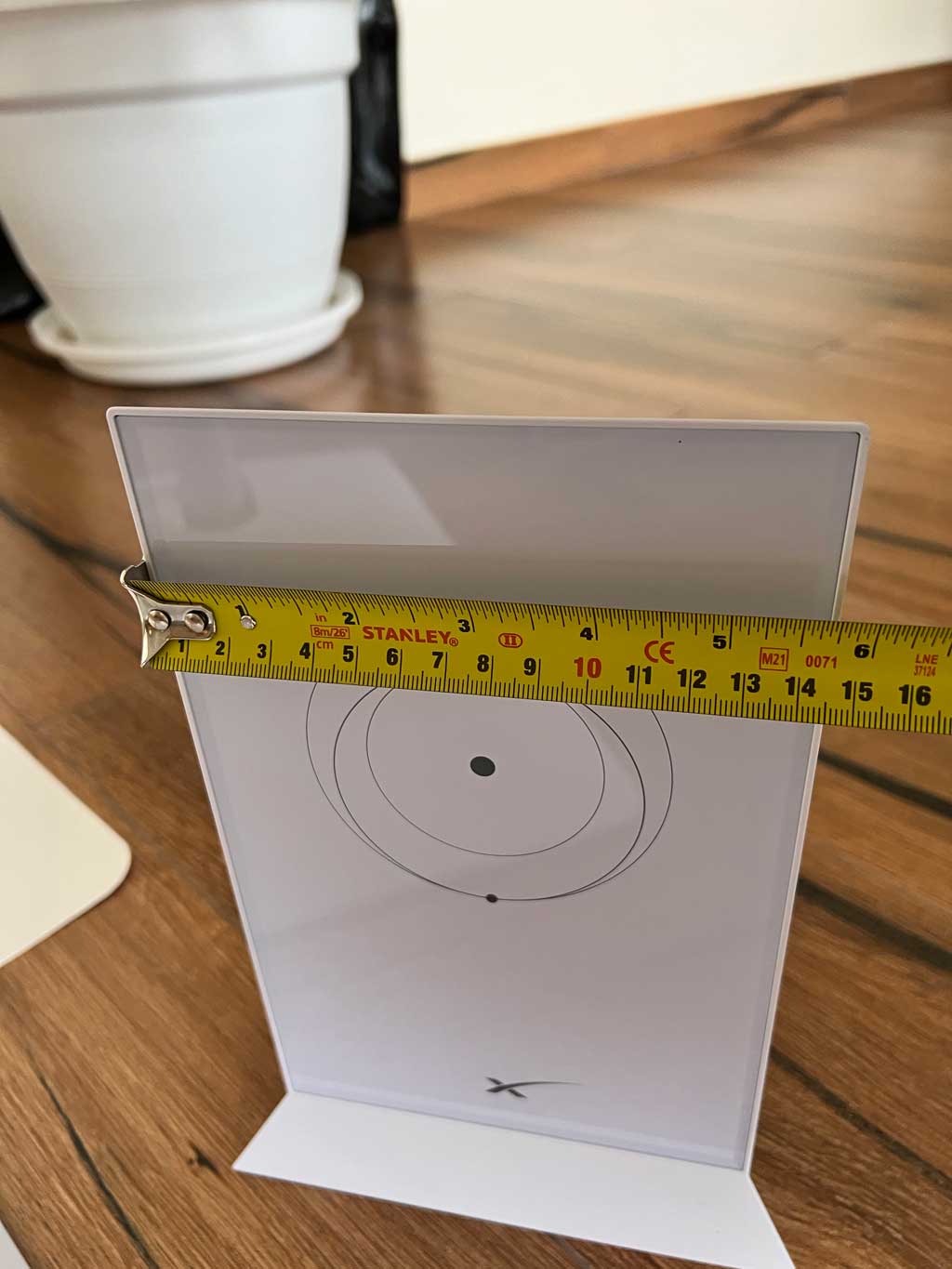 StarLink WiFi router.
You will attach the antenna cable at the bottom of the WiFi router:
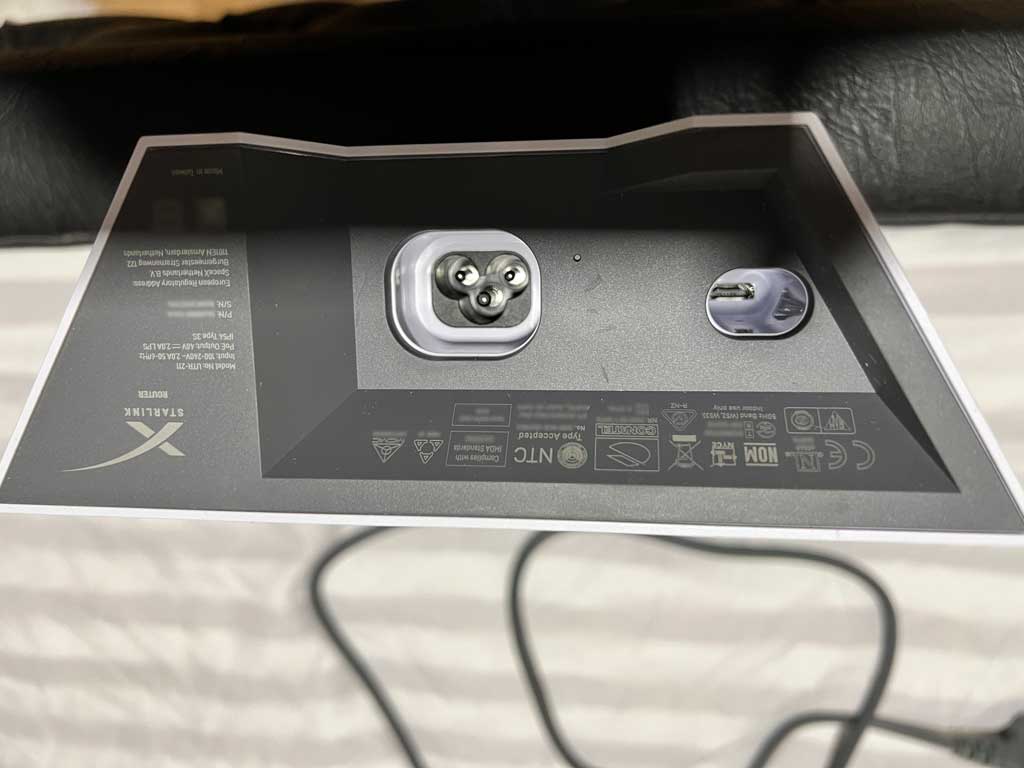 StarLink WiFi router (bottom).
The connector itself is the proprietary StarLink connector.
- Antenna cable can come in three sizes: 50 feet, 75 feet and 150 feet. The one included for free is the 50-foot one.
The antenna cable is just an ethernet cable with proprietary connectors on each end:
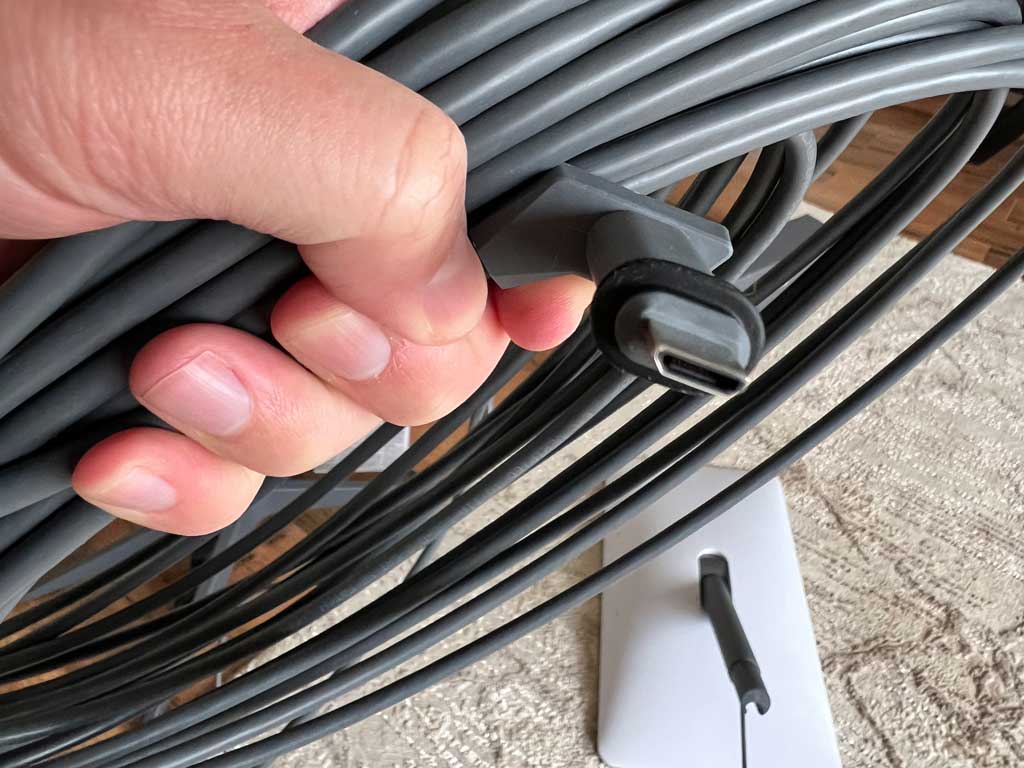 StarLink antenna cable.
Note that even though it is possible to splice the StarLink cable, I would not recommend doing it. I tried it, and it degraded the quality of the signal. Please read the questions below for more details.
- Mounting screws were 7 cm long and about 6 mm wide.
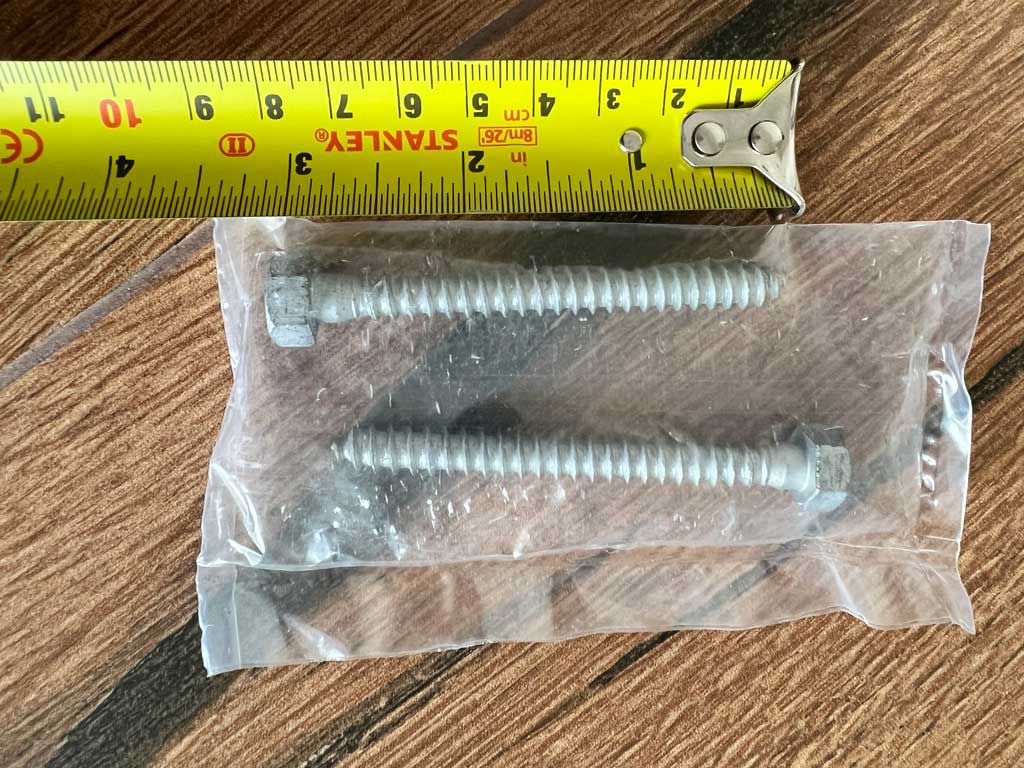 Mounting screws.
Note that these are wood screws. There were no masonry mounting screws included.
I would say that in the most part the StarLink equipment was of good quality materials, maybe with the exception of the antenna which had a somewhat flimsy plastic surface. Although that may be a requirement for proper signal reception.
This is how the StarLink antenna will look like on the standard stand (that is included in the price):
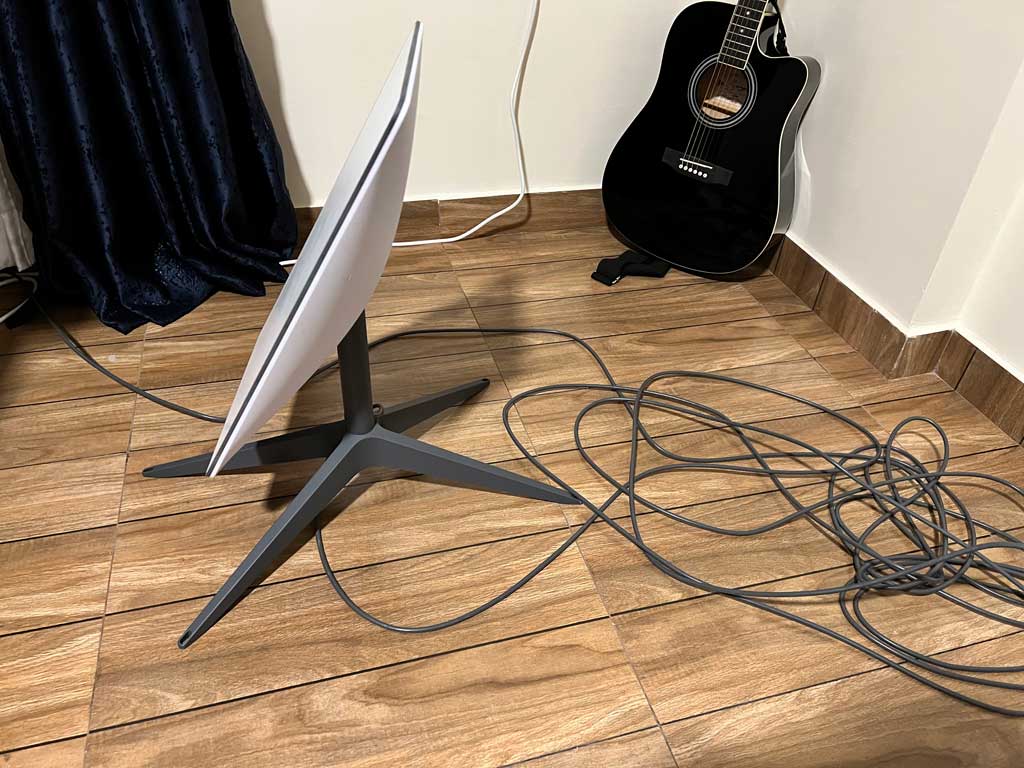
Additionally, my slight gripe would be with the WiFi router that was top heavy.
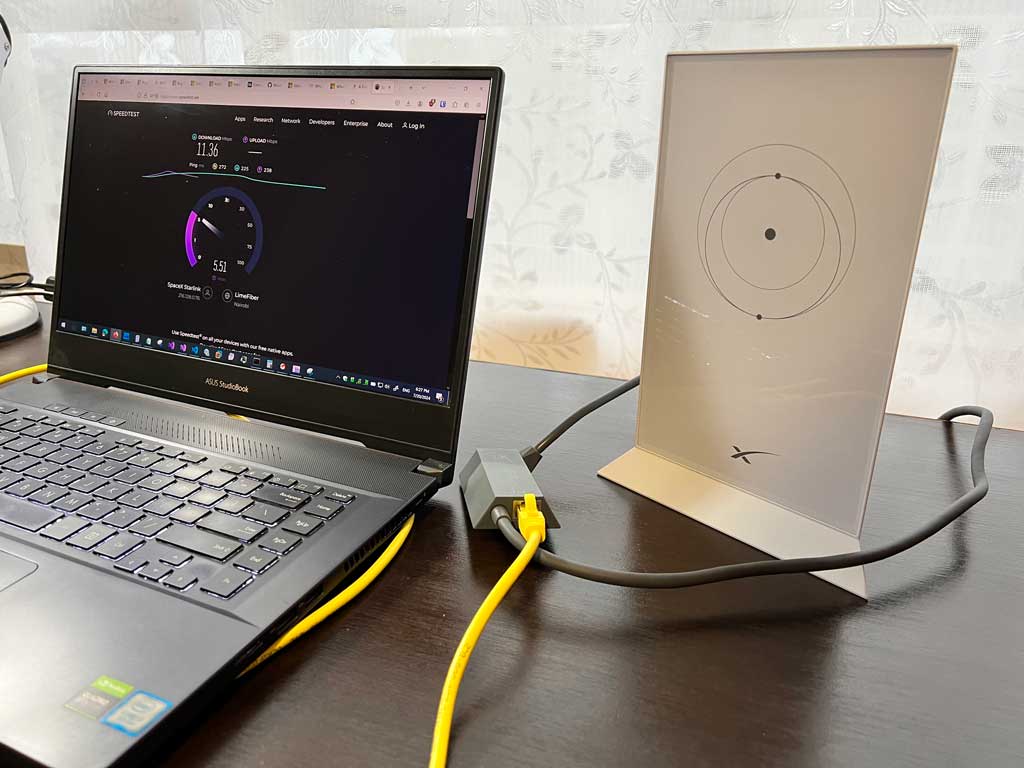
Also the bulky antenna cable makes it somewhat unwieldy.
Can I install StarLink antenna in a balcony?
You can physically place it on an arm in your balcony, but it will not work for a steady connection. I tried it. Here's what happens.
This was the picture of my actual setup:
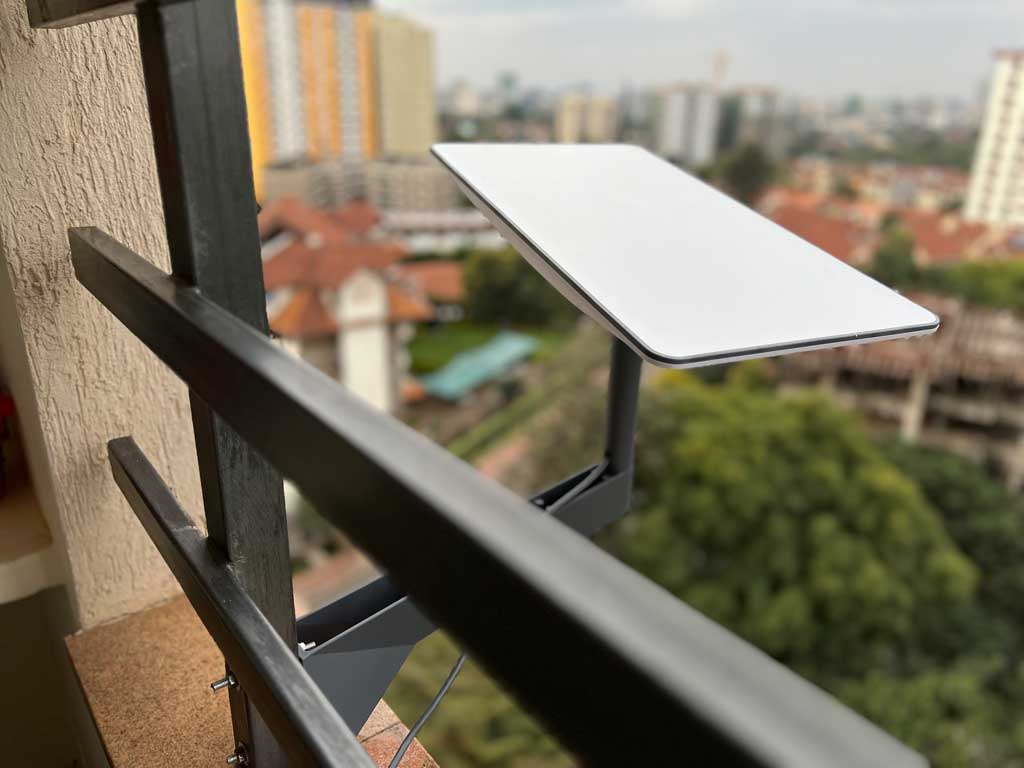
The main issue with mounting it in a balcony is that the StarLink antenna needs a 360-degree view of the sky to receive an uninterrupted signal from the passing satellites. By mounting it in a balcony of a building, or on a side of a building (say, from your window) the building itself will obstruct 180-degrees of the antenna's view.
This is how the obstruction map from the StarLink app looked like for my setup above:
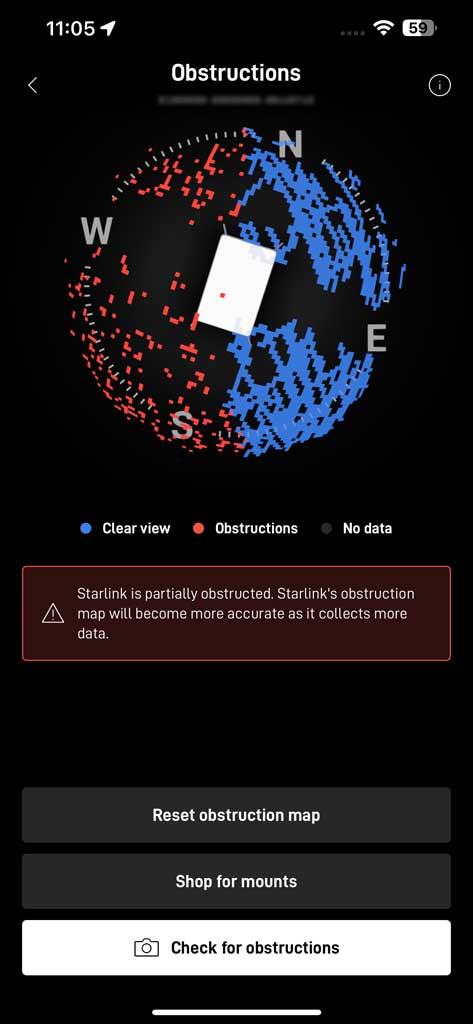
As you can see from the red dots, half of it was an obstructed view.
What that translated into was that the internet signal would work roughly for a few minutes at a time and then break for about 20 seconds while the satellite view was covered by the side of my building. This would be absolutely unacceptable for any type of streaming, video conference or phone calls, or for anything else that required a steady connection.
Below is the screenshot of the connection quality from the StarLink app for my balcony installation:
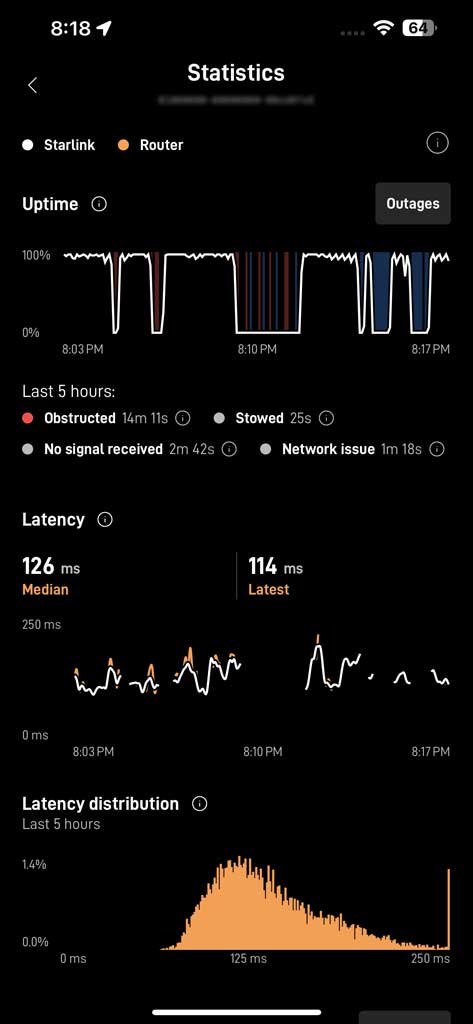
The red lines were the interruptions of the signal, which resulted in web pages failing to load. In case of a YouTube video it would stop streaming and show a buffering circle, which would make it quite unwatchable.
After trying to live with this setup for a few hours, I realized that my idea of installing it in a balcony would not work.
Optionally, if you were just thinking of placing the StarLink antenna on the floor of your balcony as such:
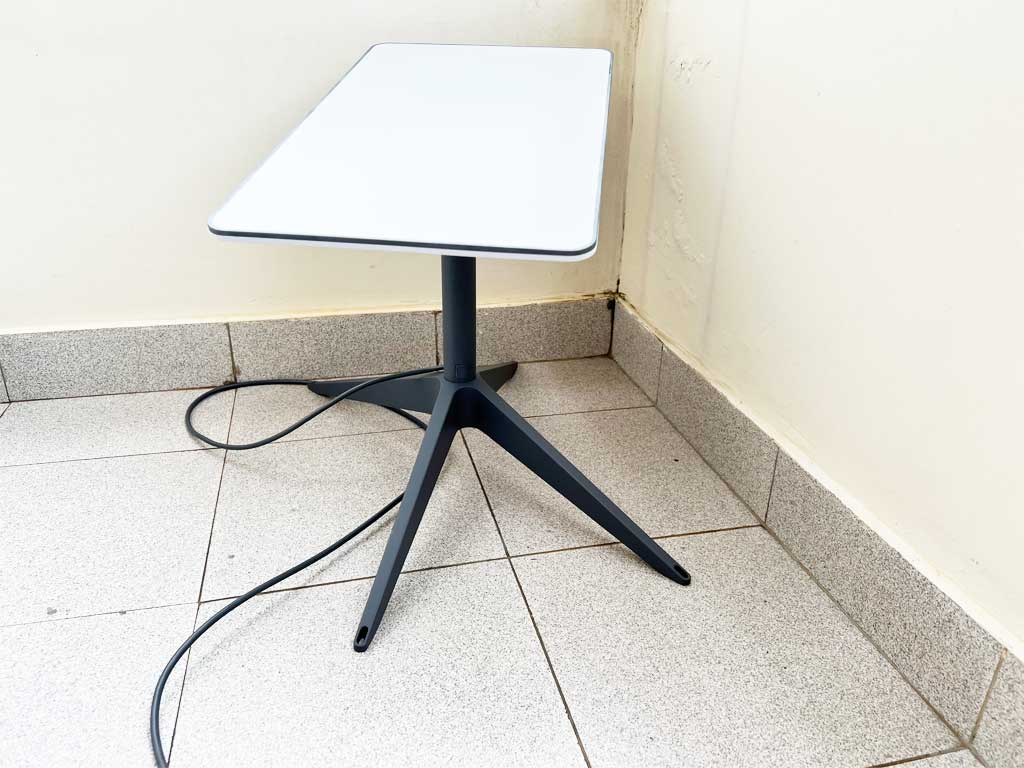
This would not work either because of the same issue with obstructions. Additionally, it will create a problem of pulling the StarLink cable to the WiFi router through your balcony door, that will most likely be located inside your apartment. Here's an example:
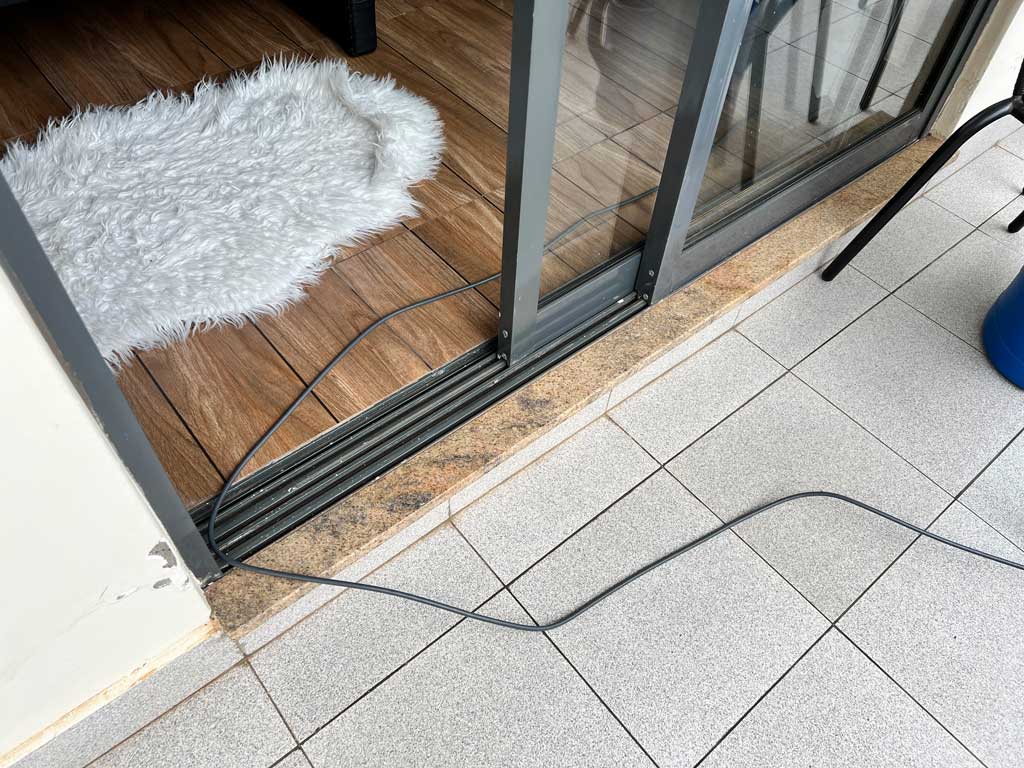
How would you pull it through your balcony door?
Can I install the StarLink antenna on the roof of my building?
The answer is yes, but with the caveats. One is the distance from the WiFi router to the StarLink antenna. The second one are the obstructions on the roof.
After my previous fiasco of trying to install the antenna in the balcony, I decided to try to pull the cable all the way to the roof. This came with its own challenges:
- The major one was convincing the management of the apartment building to let me do it.
- The second one was measuring the distance from the StarLink WiFi router to the unobstructed spot on the roof. I would strongly recommend not to trust the first estimate you get from the local jack-of-all-trades, and add a few hundred feet to his estimate.
- The last challenge was how to pull the cable without splicing it. The issue was the proprietary connector on each end of the StarLink cable that would impede it from being pulled through tight conduits and especially through sharp turns in them.
I'm talking about this guy with an almost 90-degree bend to it:
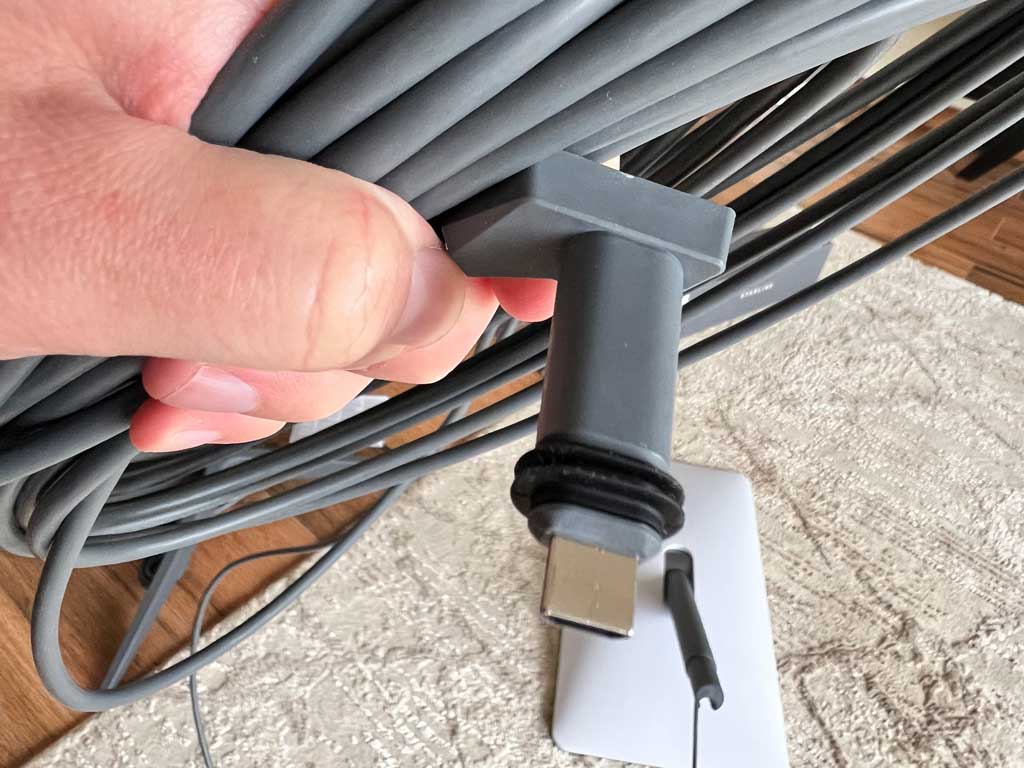 StarLink proprietary cable connector.
Note that there's no way to disconnect that proprietary connector, other than cutting it off and later splicing it back on.
If you want to go the route of pulling the StarLink cable to the roof, make sure to account for all the caveats that I mentioned above.
In my case I grossly underestimated the length of the needed StarLink cable and also how difficult it would be to pull the StarLink proprietary connector through tight conduits.
At the end, I ended up cutting off one end of the StarLink cable because I was about 50-feet short distance-wise, and also because I couldn't pull that connector through tight corners in the conduits in the building.
This resulted in multiple issues of its own, mainly these:
Because the StarLink powers the antenna from its WiFi router via the cable, its distance makes a big difference in the stability of the StarLink system. There's a reason why the maximum length of the StarLink cable is rated at 150-feet. Any cable longer than that will give unstable power supply to the antenna, which in turn will result in your StarLink system rebooting at random intervals. In my case it would reboot every 15-20 minutes, which would interrupt my internet connection for about 2-3 minutes, which was very annoying and unacceptable.
There are videos on YouTube where people claim that you can extend the StarLink cable past the 150-foot length. Do not believe them! Yes, if you do that your StarLink antenna will power on and will work ... for a few minutes. What those videos do not show is how unstable the internet connection will be. Like I said above, your StarLink system may start rebooting at some random times which will make it unusable in the log run.
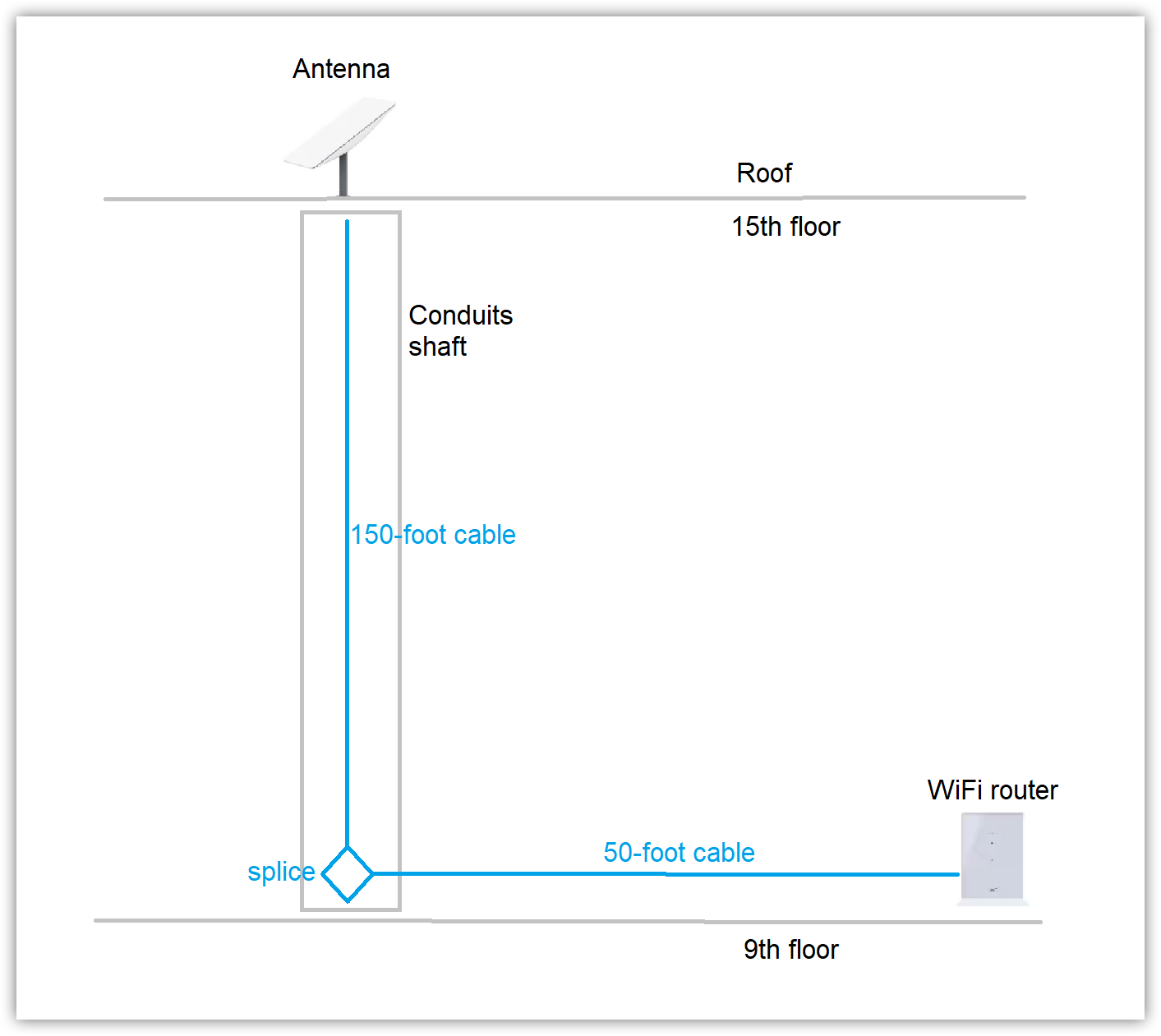
Let me give you a rough schematic of my first attempt to pull the StarLink cable to the roof of my apartment building. It is probably better than explaining it in words:
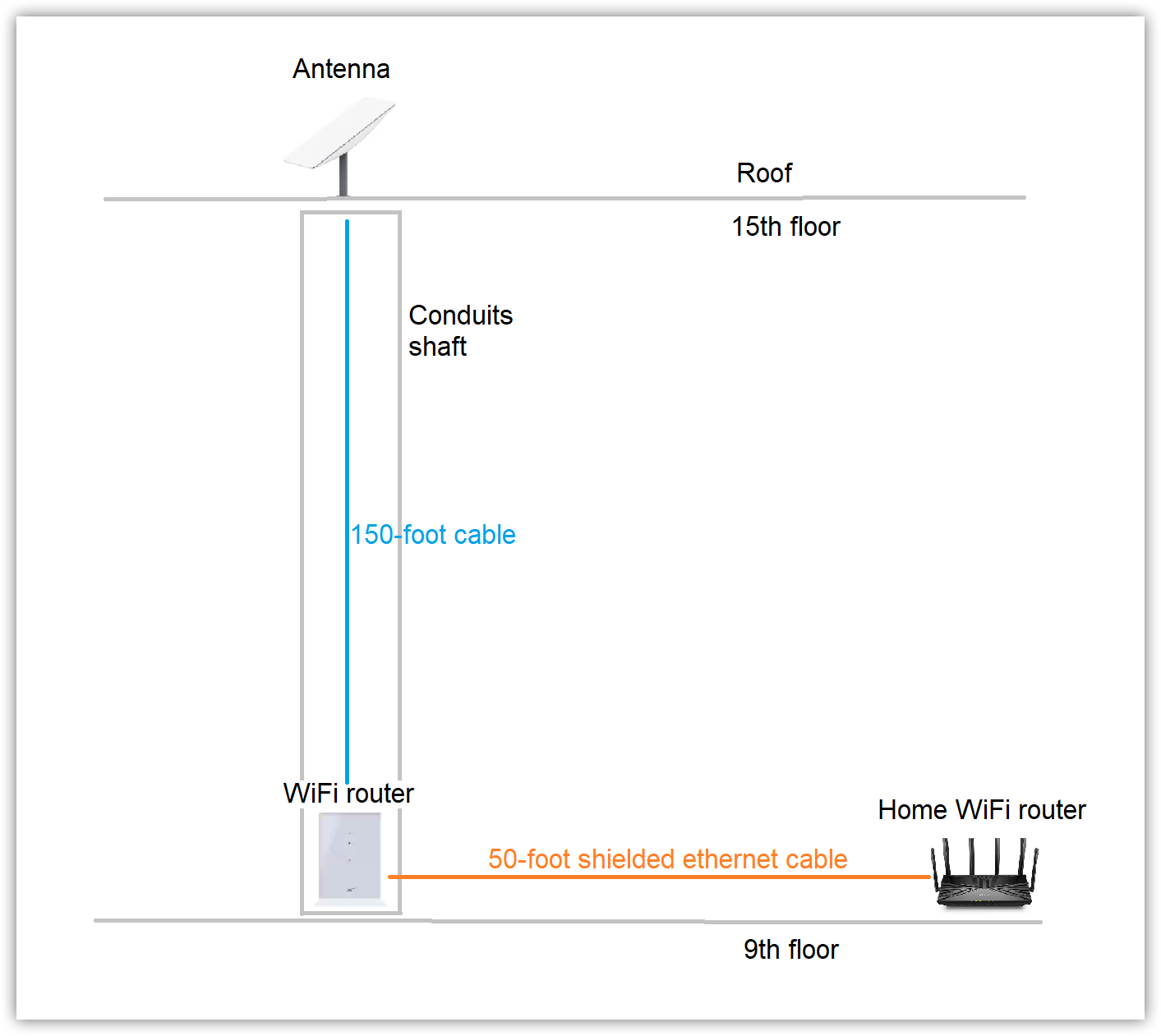
When I realized that the setup above created a very unstable system, I tried to adjust it by moving the WiFi router closer to the antenna and by staying within the rated 150-foot cable length. I then compensated for the 50-foot gap by trying to connect the StartLink WiFi router to my apartment WiFi router using a shielded 50-foot ethernet cable. This could be illustrated by the following schematic:
I probably don't need to tell you that buying and shipping a 50-foot (plus) shielded ethernet cable also set me back close to $100 USD.
The setup above made the StarLink system much more stable. But all that distance created another problem - very slow connection.
Additionally, I had to keep the StarLink WiFi router in the common area in the elevator (cable) shaft, which created concerns of its own.
The following were the measurements from the StarLink app of the best outcome that I could get from the setup above:
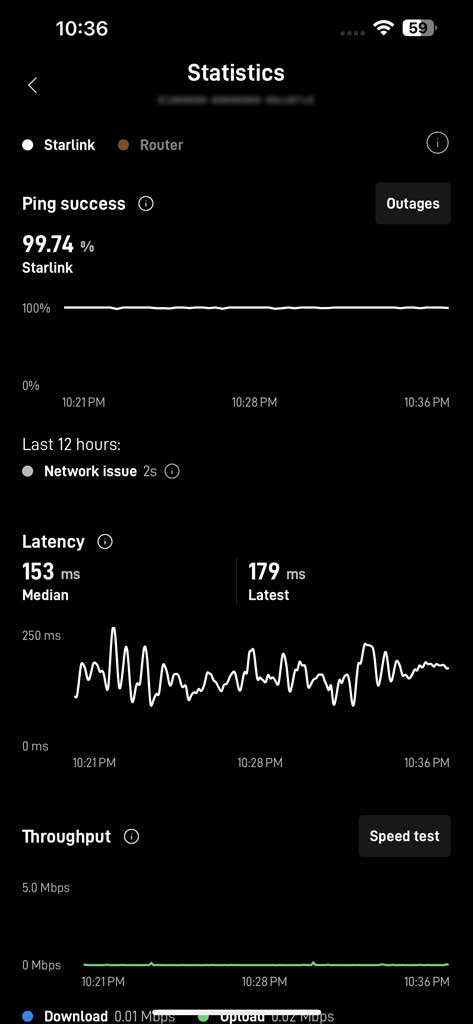
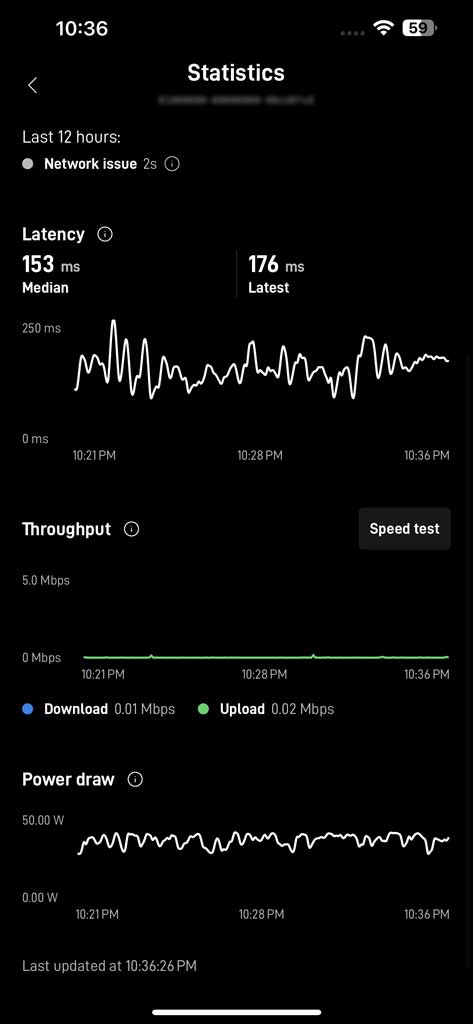
Also note that the internet speeds that the StarLink app was giving me were way off from what I would get from other speed tests:
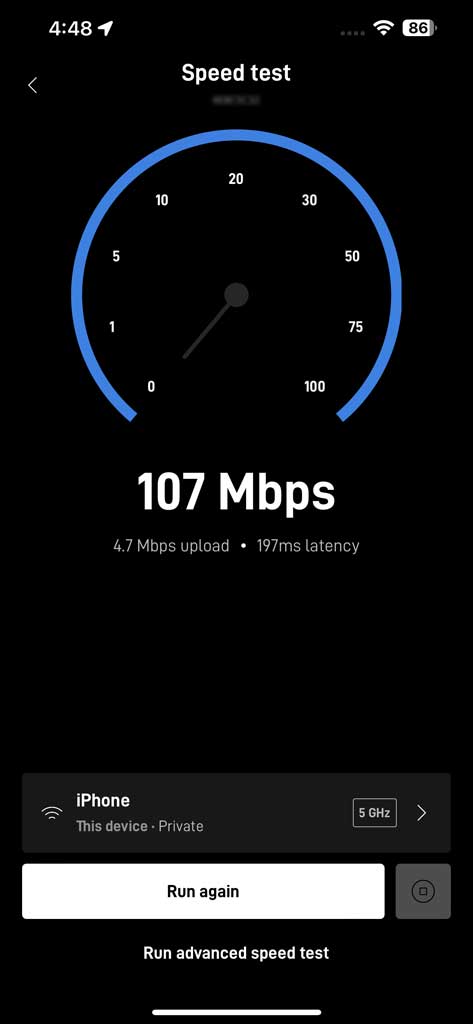
I would say that the internet download speed that I would get from the speed-test app, was around 40 Mb/s, and the upload speeds, around 5-10 Mb/s.
In the end, I was able to get the StarLink internet in my apartment. But as you can see the results were less than ideal.
Btw, this is how the StarLink antenna looked mounted on the roof of my apartment building:
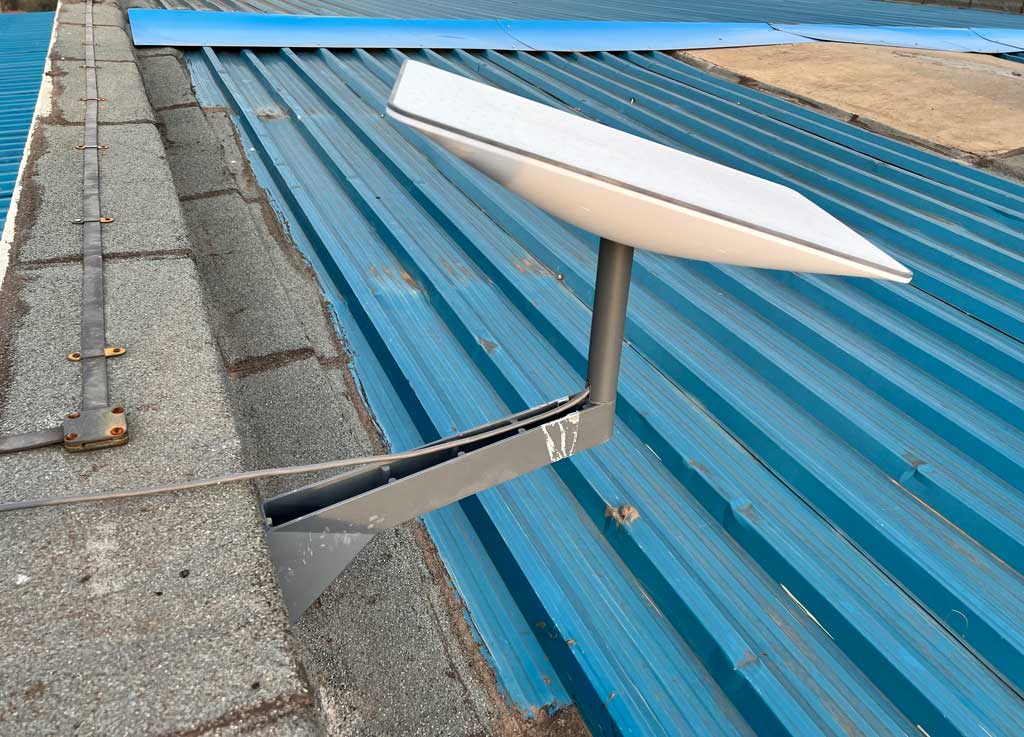
Finally, I weighed all that in, realized that I pretty much failed with my engineering experiment and just went with paying the local cable provider that supplied a much faster and cheaper internet.
Does StarLink service interfere with other satellite services?
You know, this might be coming from the realm of unproven voodoo, but after I installed my StarLink antenna on the roof (like I showed above) someone in the building complained that their satellite TV service started to receive a lot of interference. After that the manager of the building went up on the roof, saw my StarLink antenna next to the TV service antenna that was affected and told me to move it.
At that point I was already dissatisfied with the connection that the StarLink was providing and didn't want to dedicate any more effort to it. Thus, I just simply removed the StarLink antenna to appease the building management and whoever else complained about the degraded satellite TV service.
I tried to research it online but couldn't find any definitive proof if StarLink indeed interferes with more traditional satellite TV services. All I could tell is that my StarLink antenna was located about 10 feet away from the affected satellite TV dish.
How many obstructions can StarLink antenna tolerate?
Short answer - not a lot. Ideally you want it to have an unobstructed 360-degree view of the sky. From my failed experiment above, you can see that having half of the view obstructed would definitely not work. But I can't tell you what would happen if you have less sky covered up by a tree, or by something else.
From my research into it I learned that the way StarLink internet works is by connecting to a passing group of satellites that are in the view of the antenna. The system keeps that connection going until a new StarLink satellite appears in the sky. In that case, it initiates the handoff to the new satellites. This way the user gets an uninterrupted internet connection.
What happens with obstructions though, is that the first group of satellites goes out of view, or out of direct contact with the StarLink antenna, while the next satellites are not yet in the view (because of the obstructions.) This causes an interruption in the signal, that you would notice as a dropped internet connection.
How long can StarLink cable be?
Please read my account of trying to set it up on the roof of my apartment building for more details.
But to give you an unequivocal answer - the maximum length of the StarLink cable is 150-feet. And even that will degrade your connection.
There are some blogs and YouTube videos that claim that you can extend, or splice a longer StarLink cable. I watched them too. Unfortunately what they don't show you is that your system will be quite unstable with a longer cable and your StarLink router may start rebooting at random times.
The reason for such instability is because the StarLink antenna draws power from its WiFi router through the cable. In that case the length of the cable dictates the stability of the power supply to the antenna.
There's probably a way to provide the power to the StarLink antenna externally, but I haven't gone as far as trying it out.
Can I splice the StarLink cable?
Yes, you can. It is just an ethernet cable:
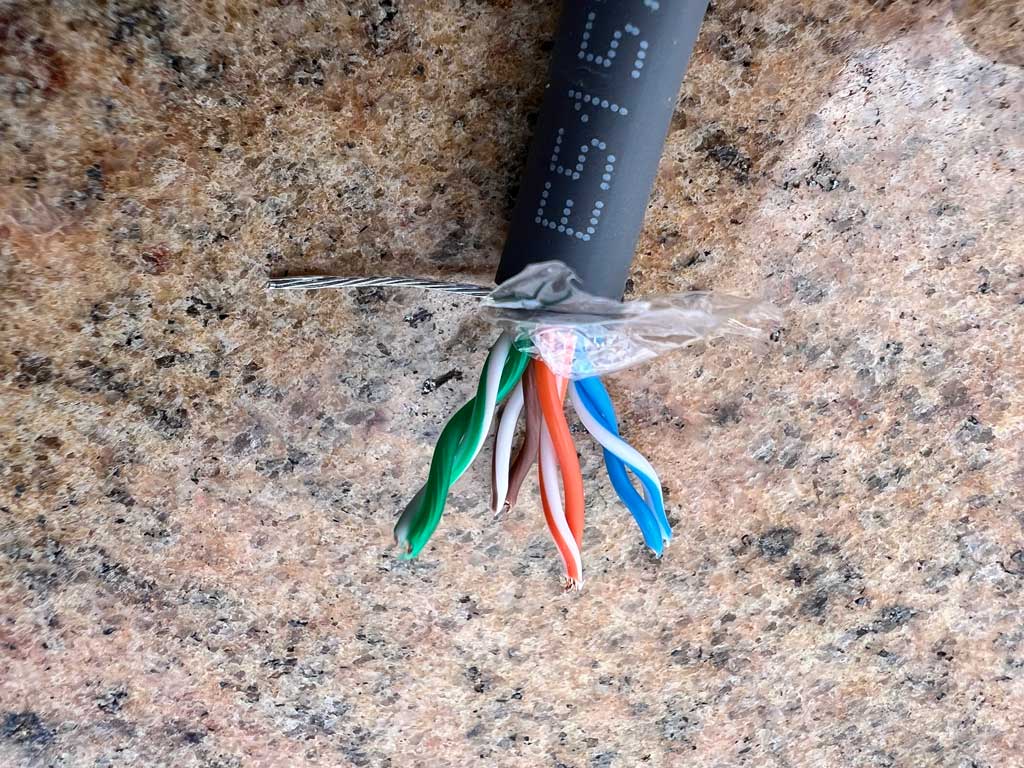
The problem is that you will need special tools to splice it. And it will most certainly degrade the quality of your connection. So unless you're a professional and you do it for a living, I would advise against cutting, or splicing the StarLink cable.
What is the power consumption of the StarLink equipment?
I did a quick measure and the antenna was drawing roughly 77 Watts of power and 0.36 Amps.
I should admit that I didn't have a chance to perform an exhaustive power consumption test of the StarLink equipment though.
What are StarLink connection speeds and latency?
Please refer to my measurements in another answer. Note that I was using the StarLink in Africa, and from what I learned later, the connection speeds differ by area. They mostly depend on the number of available ground stations. So if you're installing it somewhere in a Western country, your connection speeds would most likely be much better than mine.
Can I use StarLink for watching YouTube, Netflix and other video streaming services?
Yes, if you manage to install the antenna with an unobstructed view of the sky. This means a 360-degree view of the sky without any trees or other obstructions.
If you do have some obstructions, please refer to this explanation to understand how it may affect the quality of your signal.
Note that for some services, a slight interruption in the internet signal may not pose a large issue. For instance, a streaming service such a YouTube or Netflix will buffer, or pre-load the content that you're watching ahead of time. This would mean that if your internet service encounters a short interruption, the pre-loaded content will continue playing and you may not notice a gap.
But it will not work for other services, that require an instant connection, such as video conferencing (Teams, Zoom, etc.), internet telephony, remote access (RDP, Team Viewer, AnyDesk, etc.), or online gaming. For those services an instant throughput and latency play a major role, and thus even a slight interruption in the connection will degrade those services.
Can I use StarLink for video conferencing, like Zoom, Teams, Google Meet, etc?
Please see my explanation above.
The short answer, you can use it without major disruptions only if you have an unobstructed 360-view of the sky for the StarLink antenna, and if your cable length from the StarLink antenna to the WiFi router is somewhat short. Anything close to 150-feet will degrade the quality of the StarLink internet.
Can I use StarLink for gaming?
Same as above, except that gaming is the most demanding of all possible internet connections.
Thus, if you're a gamer, I would look elsewhere. StarLink is not for you. Mostly due to very poor latency that will make your online gaming an uphill battle. Only go for StarLink if there's absolutely no other options available for you.
Does StarLink work equally in every country?
This was a surprise for me. The answer is no. I'm not sure if I know the answer why, but from my failed experiment above, I could tell that I was getting much more inferior internet speeds in Africa than what my friends would get in the US.
I made some quick research and it turns out that the number and speeds of the StarLink ground stations also play a major role in the quality of your StarLink internet.
Who do you think StarLink is best for?
It is good for people that live in the boonies that don't have access to any other internet service. Ideally, you need to have a stationary spot to mount the StarLink antenna with an unobstructed 360-degree view of the sky, and the length of the StarLink cable not exceeding, or even approaching, 150-feet. If that is the case, you will get a really cool internet service in the middle of nowhere.
It may work for some other applications, like using the StarLink roaming service on boats and ships, but I haven't tried it. So I can't tell.
Who shouldn't order StarLink?
Anyone living in a city where you don't have access to an unobstructed 360-degree view of the sky, or if such location is further away from the StarLink WiFi router than 150-feet.
In that case your local high-speed internet, or even a cellular provider will give you a much better internet.
Will StarLink work in an apartment?
With some rare exceptions, the answer is no. Please read my account above for more details.
Conclusion
I bought my StarLink and did this experiment in 2024, way before Elon went apeshit crazy. I'm not sure if I would be doing the same investment into that company now knowing what I know today.
I also realize that I probably didn't cover some of the aspects of my tests in this blogpost, so if you have questions that I didn't cover here, please feel free to post them in the comments below. If I know the answer, I will post it there as well.

